> For the complete documentation index, see [llms.txt](https://docs.phoenixlidar.com/llms.txt). Markdown versions of documentation pages are available by appending `.md` to page URLs; this page is available as [Markdown](https://docs.phoenixlidar.com/spatialexplorer-8-and-9/user-interface/toolbars/analytics/create/create-contours.md).
# Create Contours
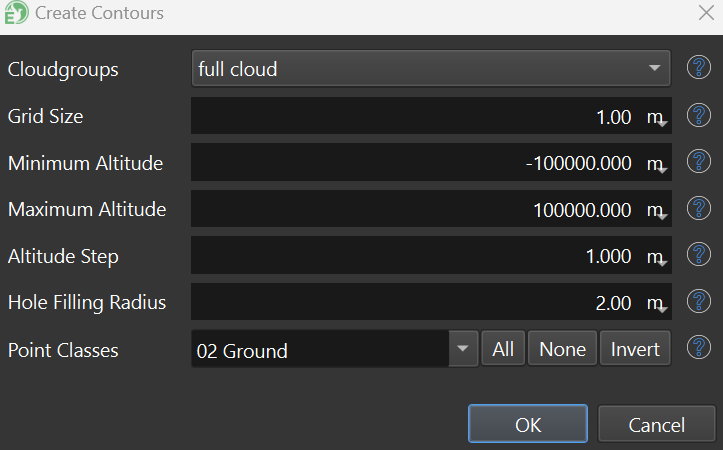
The typical parameter modified when creating contours is the **Altitude Step**, which specifies the vertical precision of the contours (e.g. "2-foot contours"). If the terrain is highly variable, it may be necessary to reduce the **Grid Size** parameter:
Contour geometries can be saved in the following formats: OBJ, KMZ/KML, SHP, DXF, and LandXML