> For the complete documentation index, see [llms.txt](https://docs.phoenixlidar.com/llms.txt). Markdown versions of documentation pages are available by appending `.md` to page URLs; this page is available as [Markdown](https://docs.phoenixlidar.com/spatialexplorer-8-and-9/user-interface/toolbars/rover/rover-settings-and-profiles/lidar-settings.md).
# LiDAR Settings
Lidar acquisition settings can be changed to better suit the use-case. Different lidar sensors have different configurable settings. Single-laser and multi-laser systems are discussed below:
### Configuring Single-Laser Lidar Sensors
Single-laser lidar sensors use a spinning mirror to distribute points in a circular scan pattern. With single-laser lidar sensors, it's most common to need to configure the **Measurement Program** and **Spin Speed.**
#### Measurement Program
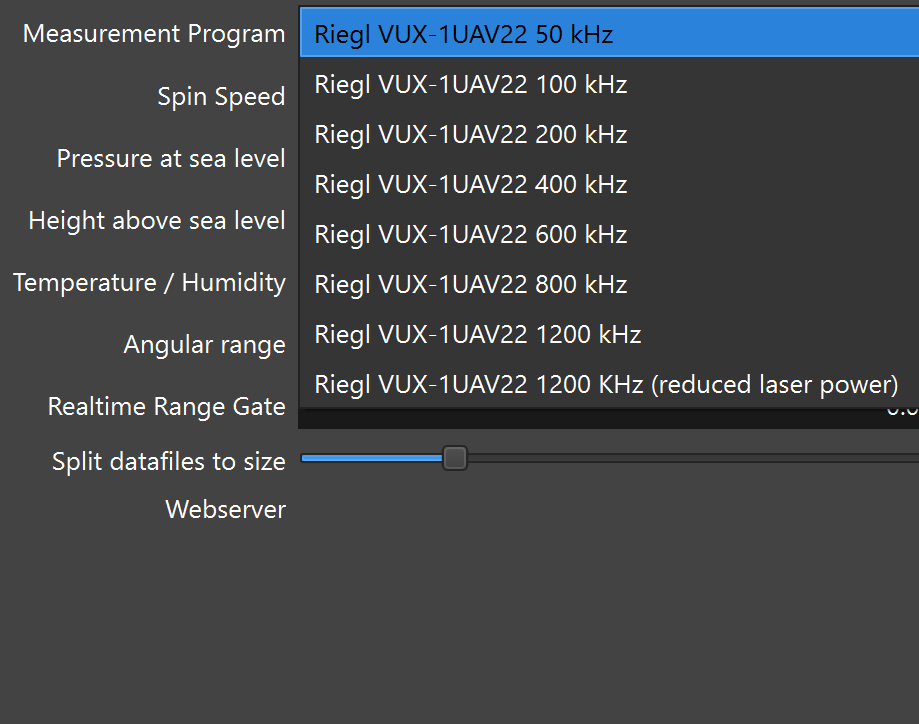
**Measurement Program** can be selected from a list of different measurement programs. Measurement program dictates pulse repetition rate (in kHz), which in turn dictates max effective range:
Refer to RiParameter to determine the max effective range associated with each measurement program. RiParameter can also be used to determine the appropriate spin speed.
#### Spin Speed:
To obtain a proper point distribution, it's necessary to match the speed of the mirror to the approximate speed of the vehicle, to ensure that the distance between points within one sweep does not drastically differ from the distance between points within different sweeps.
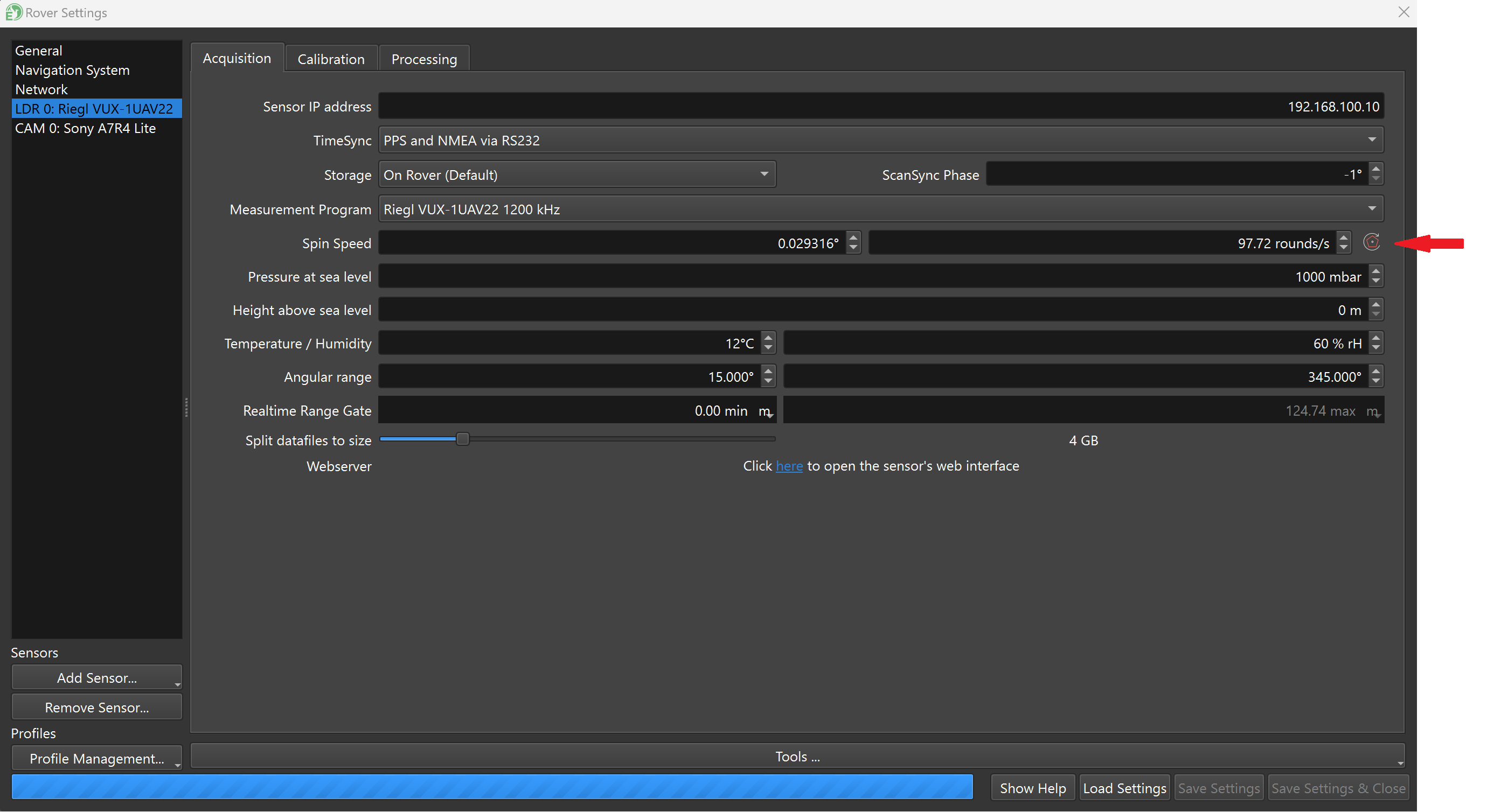
In the example below, a VUX-1UAV22 is used. To configure the mirror speed, click the **Compute Optimum Mirror Speed** icon, located on the far right of the menu:
Enter your flight AGL and flight speed:
SpatialExplorer will then configure the line speed field accordingly.
### Multi-Laser Lidar Sensors
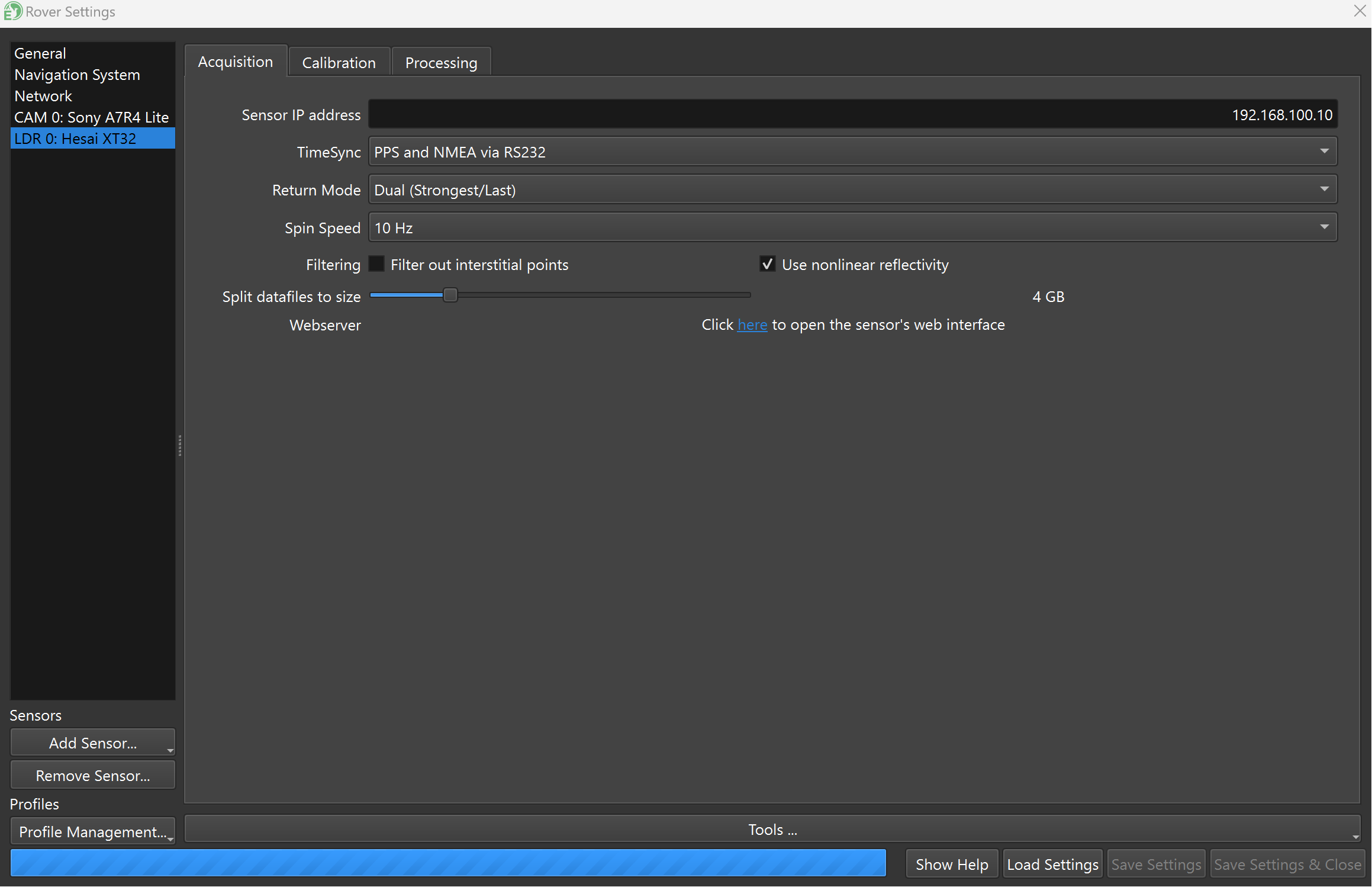
Multi-laser lidars sold by Phoenix have fewer configurable settings than the single laser sensors. The only user configurable setting for multi-laser lidars is **Spin Speed**:
**Spin speed** refers to the rotation rate of the laser array. Changing the spin speed does not increase the pulse repetition rate, as the PRR is fixed with multi-laser sensors.