---
description: >-
Processing intervals are used to exclude unnecessary data. Intervals are also
involved during lidar calibration and relative accuracy reporting.
---
# Create Intervals
###
### Automatic Intervals
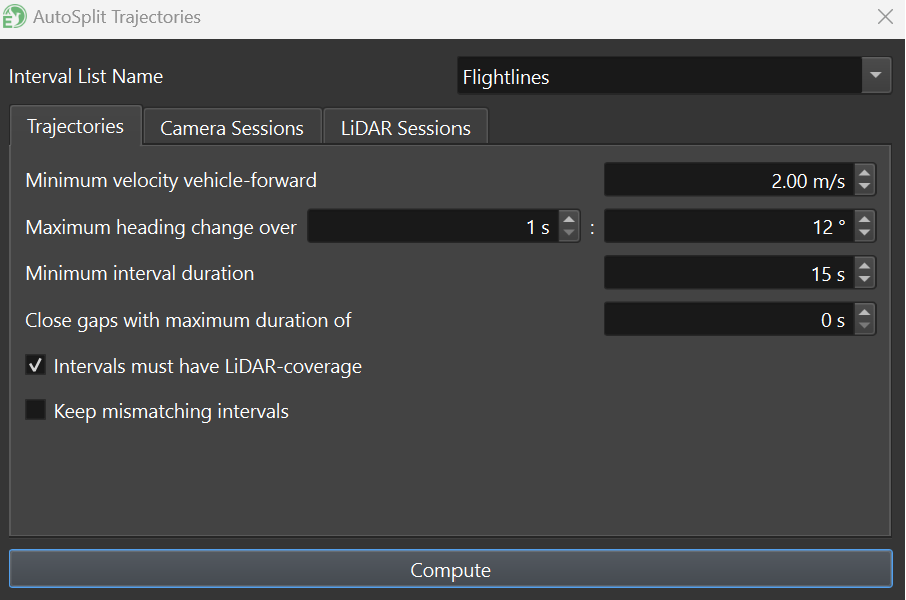
Using the **AutoSplit Trajectories** tool, the user can specify parameters related to flight velocity, angular velocity and minimum interval duration to automatically remove turns and split the trajectory into straight-line processing intervals, sometimes referred to as flight lines:
Intervals will be depicted in magenta in the main view:
{% hint style="info" %}
Note: With the **AutoSplit Trajectories** window open, you can reconfigure parameters and click "Compute" to recompute intervals.
{% endhint %}
The interval list will be visible in the project tree, located under [**Intervals**](../../windows/project/intervals). Here, multiple lists of intervals can be stored (e.g., one list of intervals for sensor calibration and another interval list for data production):
An interval list
For more information regarding modifying interval lists, merging intervals, or creating intervals manually, see [**Project->Intervals**](../../windows/project/intervals).
###