> For the complete documentation index, see [llms.txt](https://docs.phoenixlidar.com/llms.txt). Markdown versions of documentation pages are available by appending `.md` to page URLs; this page is available as [Markdown](https://docs.phoenixlidar.com/spatialexplorer-8-and-9/user-interface/toolbars/workflow/export.md).
# Export
The export menu is used to export point clouds to LAS/LAZ format, as well as to save other raster and vector products.
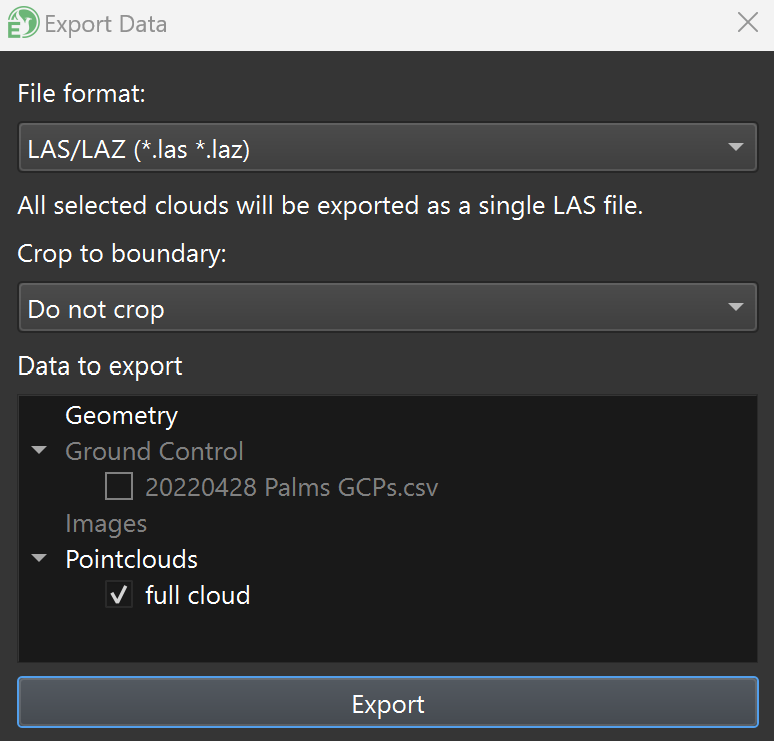
Select the data to export and desired export file format. Optionally, you can select a boundary (KMZ/KML) to crop the export:
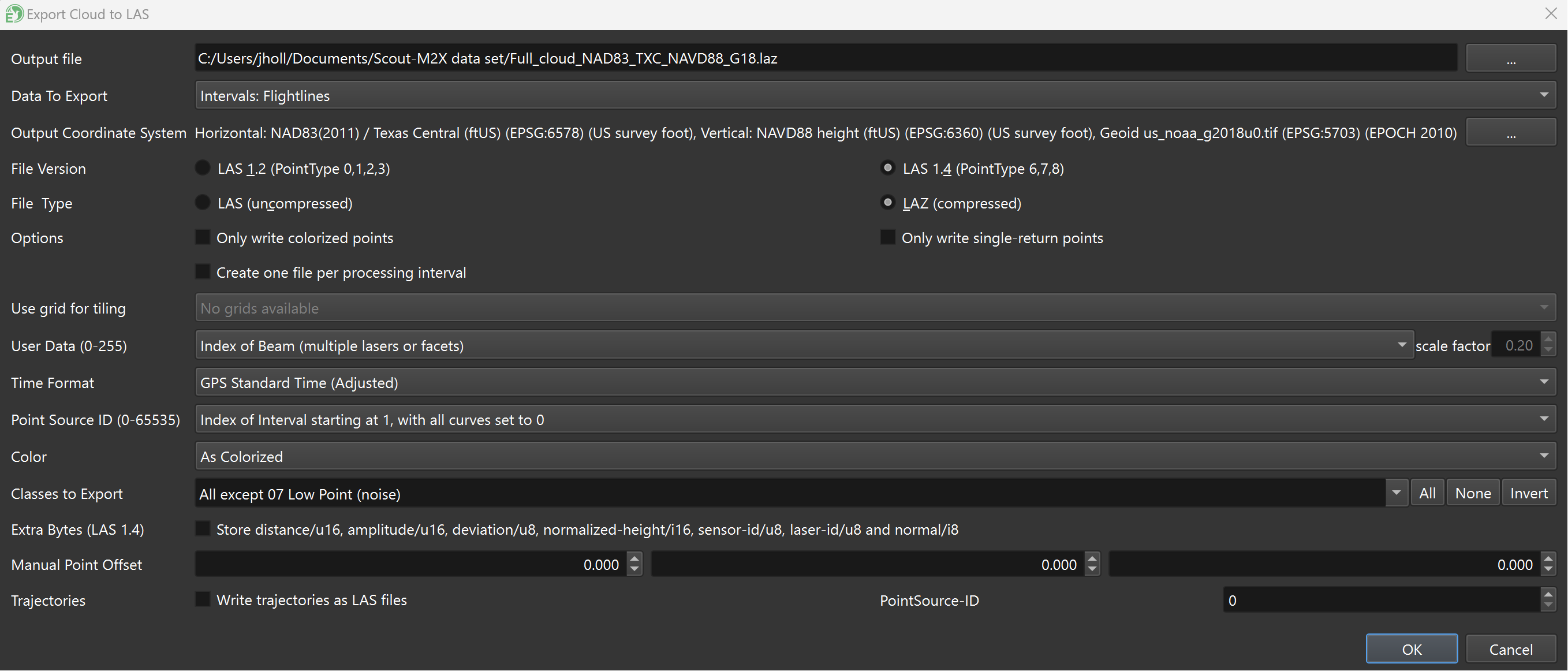
For point cloud exports, configure the LAS/LAZ file type, version, and the desired [**Output Coordinate System**](/spatialexplorer-8-and-9/user-interface/windows/project-setup.md). If you'd like to have interval (or "flightline") information stored in the Point Source ID field of the LAS file, select your desired interval list from the **Data To Export** dropdown menu, then select one of the **Index of Interval** choices from the **Point Source ID (0-65535)** dropdown menu:
**User Data (0-255)** can be used to store a variety of different types of metadata, such as beam index or waveform deviation (Riegl scanners only). If you plan to associate this cloud with a trajectory, ensure the **Time Format** field matches the time format of your trajectory. To exclude certain point classes from the exported LAS/LAZ, deselect them in the **Classes to Export** dropdown menu.
The **Color** field can be filled with either RGB values (**As Colorized**) or XYZ vector normal values (for surface extraction/visualization).