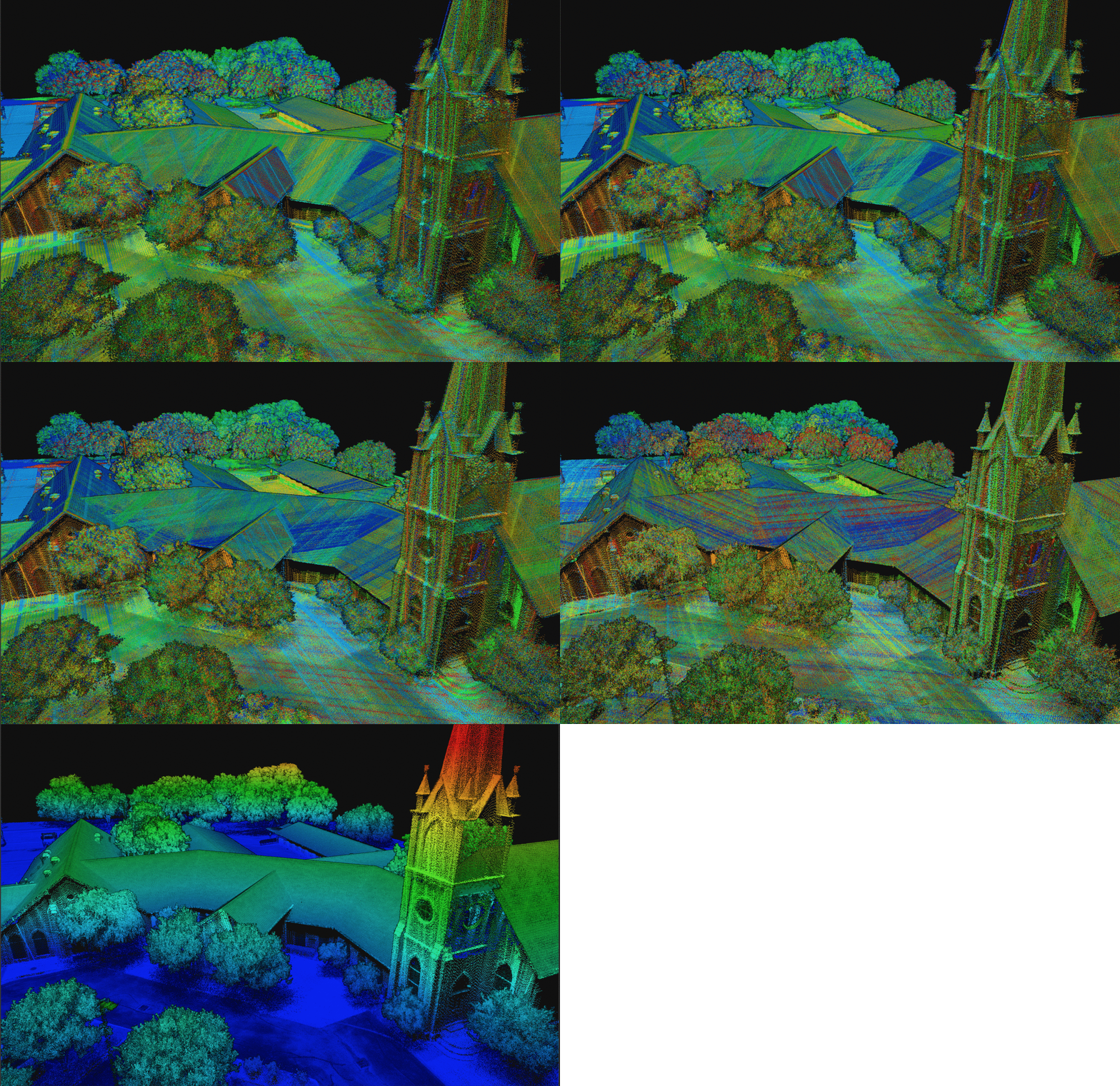
> For the complete documentation index, see [llms.txt](https://docs.phoenixlidar.com/llms.txt). Markdown versions of documentation pages are available by appending `.md` to page URLs; this page is available as [Markdown](https://docs.phoenixlidar.com/spatialexplorer-8-and-9/user-interface/toolbars/workflow/lidarsnap-v4.md).
# LiDARSnap
LiDARSnap is used to optimize lidar pointclouds by calibrating sensors and optimizing trajectories. This helps improve alignment of data from different flight lines or from different times.
**LiDARSnap** is a lidar calibration tool. This means that LiDARSnap is used to adjust strips, or individual passes of lidar data, to improve relative and absolute accuracy. LiDARSnap uses observations in the data set, which can be either pointcloud observations or GCP-to-pointcloud corrections, and makes adjustments based on the available observations.
\
In a purely lidar use-case, with no available GCPs, LiDARSnap attempts to find matching surfaces in the pointcloud data which can be used to derive a correction. These matched surfaces, also known as correspondences, must be in the same general location and have the same orientation. When GCPs are involved, LiDARSnap still searches for cloud-to-cloud correspondences, but additionally creates GCP-to-cloud correspondences. All correspondences are then used to solve for either sensor or trajectory corrections.
## [Sensor Calibration](/spatialexplorer-8-and-9/user-interface/toolbars/workflow/lidarsnap-v4/sensor-calibration.md)
In the case of sensor calibration, all correspondences are used to solve for the lidar sensor's yaw, pitch, and roll (along with a few other laser intrinsic properties). This type of optimization is often referred to as a "boresight." Sensor calibration is a global adjustment, meaning that changes in the sensor's yaw, pitch, or roll, will affect the entire data set. Sensor calibration is unable to compensate for trajectory error, as trajectory error varies over time. Sensor calibration may not always be a necessary step in a lidar production workflow, for several reasons.
## [Trajectory Optimization](/spatialexplorer-8-and-9/user-interface/toolbars/workflow/lidarsnap-v4/trajectory-optimization.md)
Trajectory optimization uses the detected correspondences to improve the trajectory. LiDARSnap divides the trajectory into sections, and then uses the correspondences associated with that section to improve the alignment of the data. Trajectory optimization is common and almost always performed as part of a lidar production workflow.
Point cloud changing from an uncalibrated cloud to a fully calibrated cloud colored by elevation